
Table of contents
Summary: Digital inspections help teams replace paper forms with faster, more consistent, and easier-to-report inspection processes. While the transition can involve change management, training, device costs, and security concerns, those challenges can be managed with the right rollout plan.
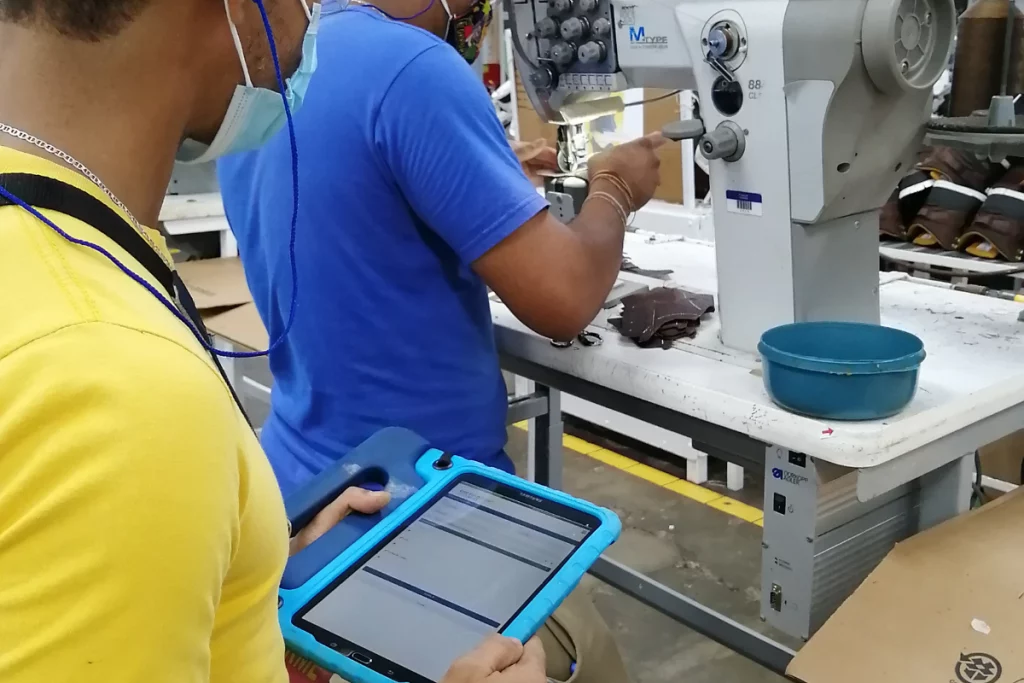
Digital inspections help organizations replace slow, error-prone paper processes with faster data capture and better visibility. This article covers five common adoption challenges and how to handle them when moving inspection programs to a digital system.
Fortunately, there is a better way. Digital inspections offer a range of benefits that can help businesses streamline their inspection processes with information in real-time, optimized inspection findings, reduced human error, improved consistency and comparability of inspection results and increase profitability. A digital transformation is suited for any business’s inspection objectives – whether that be safety inspections, quality assurance audits, supplier compliance audits, and ESG assessments.
In this blog, we will explore the challenges you may face when transitioning from a paper-based inspection system to digital, and provide some tips for overcoming these challenges to going digital.
Resistance to Change When Adopting Digital Inspections
One of the biggest challenges businesses face when switching to digital inspections is resistance to change. Some employees may be hesitant to adopt new technology or may be unsure of the benefits of switching to a digital solution.
To overcome this challenge, it’s important to communicate the benefits of digital inspections to your employees and to provide inspection software training and support to help them feel confident using the new digital inspection system. You should also involve your employees in the process of choosing and implementing a digital inspection solution, and make sure to listen to their feedback and concerns.
Training Requirements for Digital Inspections
Another challenge businesses may face when switching to digital inspections is the need for training. Employees who are used to using paper-based inspection forms and checklists may need to learn how to use a digital inspection app or software, and this can take time and resources.
To minimize the impact of training on your business, it’s important to choose a digital inspection solution that is user-friendly and intuitive. Look for solutions that offer training materials and support, and consider providing additional training or support to employees who need it.

30+ Audit and inspection checklists free for download.
Supporting Less Tech-Savvy Teams with Digital Inspections
If your workforce is older or less tech-savvy, they may have difficulty adapting to a digital inspection system. This can be a particular challenge if your business relies on older employees with years of experience using paper-based inspection forms and checklists.
To overcome this challenge, it’s important to provide support and training to help employees adapt to the new system. It would help if you also considered providing additional resources, such as tablets or smartphones, to employees who may not have their own devices.
Costs Associated With Providing Phones, Tablets, and Other Devices
Providing employees with the devices and technology they need to use a digital inspection system can be costly. If your employees don’t have their own phones or tablets, you may need to purchase or lease these mobile devices for them, which can add to your upfront costs and impact the bottom line.
To minimize the costs associated with providing devices, consider implementing a bring-your-own-device (BYOD) policy, where employees are encouraged to use their own personal devices for work purposes. This can help reduce the number of devices your business needs to provide, and can make it easier for employees to use the digital inspection system.
Digital Inspections and Mobile App Security
Using digital inspections can also raise concerns about device and app security. If your employees are using their own devices, you may be worried about the security of your inspection data, and if your business is providing devices, you may be concerned about the security of the devices themselves.
To ensure the security of your inspection data, it’s important to choose a digital inspection solution that offers strong security features, such as encryption, Microsoft Intune functionality, and secure login protocols. You should also consider implementing security policies and procedures for employees using their own devices for work purposes.
You may also be interested in:
Audit and Inspection Software for:
After the paragraph on paper-based limitations, add: 'Digital inspections give teams faster access to findings, more consistent records, and easier reporting across locations.'
In the training section, add: 'Successful digital inspections depend on simple mobile workflows, clear onboarding, and support during the first rollout stages.'
Near the conclusion, add: 'When organizations plan the transition well, digital inspections can improve adoption, data quality, and response times.'
Frequently Asked Questions (FAQs)
What are digital inspections?
Digital inspections use software on mobile devices or computers to complete checklists, capture evidence, and track findings electronically. They replace or reduce reliance on paper forms and manual data entry.
Why do companies move from paper to digital inspections?
Companies make the switch to improve speed, data accuracy, reporting, and visibility across sites. Digital tools also make it easier to track corrective actions and maintain organized records.
What challenges come with implementing digital inspections?
Common issues include resistance to change, training needs, device availability, and security concerns. These can usually be reduced with careful planning, strong communication, and simple workflows.
How can teams improve adoption of digital inspections?
Choose easy-to-use software, involve frontline users early, and provide practical training and support. Piloting the process with one team or site can also make the full rollout smoother.



