STANDARD FEATURES
Certainty software's features for audit-ready confidence
Offline + mobile capture • Evidence attachments • Actions & workflows • Power BI reporting • SSO & enterprise governance




















How Certainty works, from inspection to verified closure
Digitize
Standardize
Act
Optimize
Digitize
How do you capture defensible evidence where work happens?
Evidence is only credible when it reflects field reality. Certainty is purpose-built for mobile, offline, and distributed execution so that inspections, audits, and assessments produce evidence captured in context, not reconstructed after the fact.

Mobile and offline data collection
Inspectors and auditors work in plants, warehouses, supplier sites, and field locations where connectivity is unreliable or nonexistent. Certainty’s mobile apps (iOS, Android, Windows) support full offline execution. Every form, attachment, and signature syncs automatically when connectivity returns. No data loss, no re-entry, no “I’ll fill it in later” workarounds that undermine evidence integrity.
Evidence attachments
Attach photos, documents, and supporting files directly to individual findings rather than to a general report. This creates a traceable evidence chain from finding to photo to action to closure evidence. Attachments are timestamped and linked to the specific inspection item, which is what auditors and regulators expect when they ask “show me the evidence.”
Smart digital forms
Build inspection and audit forms that match your standards (ISO, BRC, OSHA, VDA 6.3, internal SOPs) with conditional logic, scoring rules, required fields, and evidence prompts. Forms adapt as inspectors work. Skip-logic hides irrelevant sections, required photo prompts enforce evidence capture at critical control points, and scoring rules calculate compliance percentages automatically.
Scheduling and assignments
Define inspection and audit schedules by site, area, frequency, and assigned personnel. Scheduling ensures work happens consistently, not just when someone remembers. Overdue inspections are flagged automatically, providing a governance signal that leadership and auditors can trust.
How do these digitization features impact different types of enterprise-level teams?
For multi-site safety programs, the capture layer is where defensibility begins. Standardized digital inspections replace pencil-whipped paper audits with timestamped, photo-attached evidence that holds up to OSHA, BRC, or provincial regulators. Offline capability means supervisors on Gemba walks capture and submit from the floor without a laptop and without after-the-fact reconstruction.
Supplier evidence collection fails when the tool creates friction. Certainty supports frictionless access patterns, including quick links that let suppliers complete assessments without creating accounts or remembering passwords. For supply chain teams managing hundreds of suppliers across regions, this means higher participation rates and more reliable evidence without the endless chase for data.
Quality engineers currently waste hours re-typing inspection data from clipboards into Excel. Certainty eliminates the clipboard-to-spreadsheet handoff entirely. Capture happens once, digitally, and the data is immediately available for reporting. For LPA programs across shifts and sites, this means every shift produces comparable data rather than a different version of the same checklist.
Standardize
How do you produce comparable data and reports you can trust?
Inspections become management signals only when the data is consistent and comparable. Certainty standardizes how work is captured and reported so that metrics can be trusted across locations, teams, and supplier networks.
Real-time reporting and dashboards
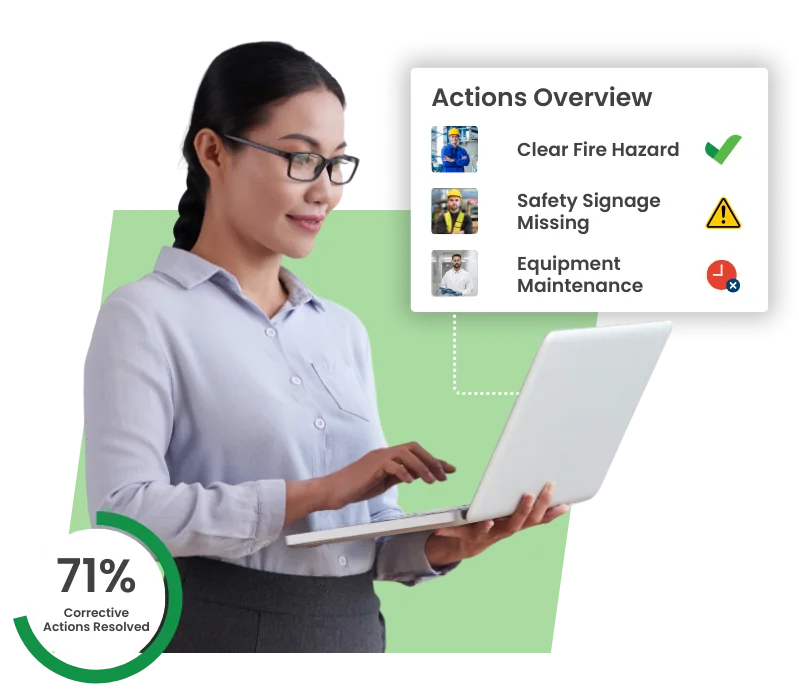
Inspection and audit results flow into real-time reporting views as they are submitted. There is no waiting for someone to compile a spreadsheet and no data lag between execution and visibility. Dashboard views present findings, compliance rates, and action status at site, region, or enterprise level. Leaders see what is happening now, not what happened last quarter.
Export-ready outputs
Export findings, scores, and action summaries to PDF, Excel, or CSV, formatted for the audience that needs them. This matters because “shadow reporting” (teams exporting raw data and rebuilding reports in Excel) is one of the most common compliance workflow breakdowns. Certainty’s export-ready outputs are designed to eliminate the need for parallel spreadsheet systems.
Integration-friendly data feeds
Feed inspection and audit data into enterprise BI environments (Power BI, Tableau, or custom dashboards) via OData or API. Integration-friendly data exchange means compliance reporting lives alongside operational, financial, and safety reporting rather than in a siloed tool that leadership cannot access without a separate login.
Standardization as a reporting prerequisite
Comparable data requires standardized inputs. Certainty enforces consistent form structures, scoring rules, and evidence requirements across sites and suppliers so that a “compliance score” in Site A means the same thing as in Site B. Without standardization, enterprise reporting is an exercise in comparing incompatible datasets.
How do these standardization features impact different types of enterprise-level teams?
For multi-site safety programs, reporting clarity means seeing site-by-site risk signals early, before repeat findings become repeat incidents. Standardized data across hundreds of plants means safety leadership can identify systemic issues (not just local ones) and demonstrate program performance to executive teams and regulators with confidence.
Supplier compliance teams need to track participation, findings, and remediation reliably across the supply base. Certainty’s standardized reporting turns fragmented supplier data (currently trapped in shared folders and email threads) into measurable supplier reliability metrics, sortable by region, standard, or risk tier.
Quality managers describe the “black hole” of information: flying blind until someone manually compiles audit results. Certainty eliminates data lag by making results available in real time so that quality engineers focus on root causes and continuous improvement, not data entry and report formatting.
Act
How do you drive verified closure with CAPA-forward actions?
Findings don’t reduce risk. Verified closure does. Certainty routes issues into corrective actions and workflows so you can show what was found, what changed, and what was verified as closed.
Create, assign, and track actions from findings
When an inspection identifies an issue, create a corrective action directly from the finding with ownership, due date, priority, and description. Actions are linked to the source finding, preserving the chain of evidence from what was found to who is responsible to what the expected fix is to when it is due. No separate system, no email thread, no lost follow-up.
Escalation paths and review steps
Actions follow configurable workflows from assignment to execution to evidence submission to review to verification. Escalation paths ensure overdue or critical actions surface to the right level of leadership automatically. Review steps mean a manager or technical reviewer verifies the fix before “closed” status is granted, preventing premature closure.
Evidence requirements for closure
This is where Certainty diverges from basic task management. Closing an action can require photo evidence, document uploads, or reviewer sign-off, all configurable per action type. “Closed” means defensibly closed, with an evidence trail that auditors and regulators can inspect. Not “someone clicked a button.”
Action reporting and follow-up visibility
Track open actions, overdue items, closure rates, and average time-to-close across sites, teams, or suppliers. Action analytics reveal whether your corrective action process is actually driving resolution or just accumulating open items. Leadership gets visibility into whether issues are being resolved, not just recorded.
How do these action features impact different types of enterprise-level teams?
The CAPA “trust gap” (not knowing whether hazards were actually fixed) is the top pain point for safety leaders. Certainty’s evidence-required closure process means every hazard has a traceable chain from finding to fix to verification. When regulators ask “was this resolved?” you have the evidence, not just a claim.
Supplier corrective action follow-up is notoriously difficult. It often becomes an endless cycle of emails, reminders, and incomplete responses. Certainty turns remediation into a closed-loop process. The supplier receives the action, submits evidence, and your team verifies closure, all tracked in one place with status visibility for leadership.
For quality programs running ISO 9001, VDA 6.3, or IATF audits, traceability from nonconformance to corrective action to verification is a standard requirement. Certainty provides that chain natively without manual linking of spreadsheet rows to email threads. Quality engineers can demonstrate root cause resolution with structured evidence, not narrative explanations.
Optimize
What enterprise controls matter most in the real world?
Enterprise reality determines whether compliance data is trusted. Certainty is built for governance, scale, and integration so that multi-site programs don’t break at rollout.

Security and access controls
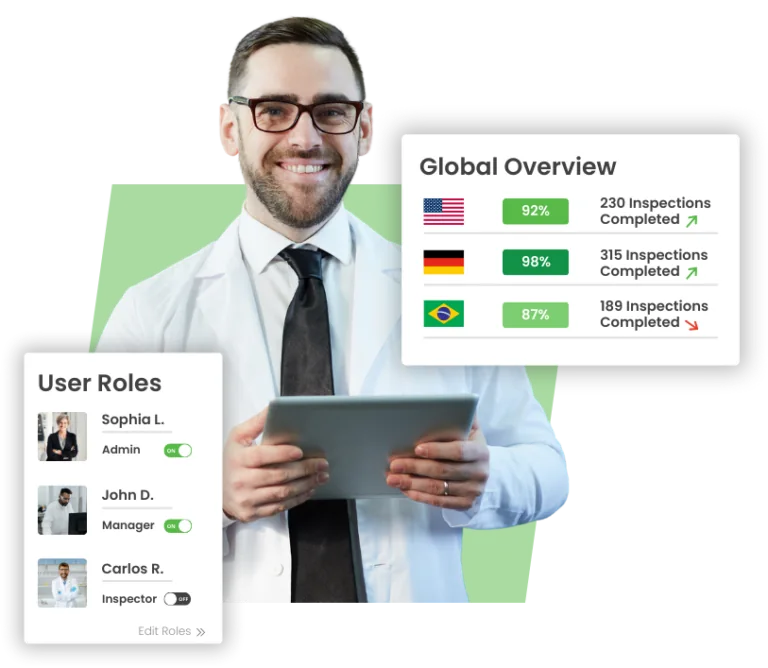
Single Sign-On (SSO) integration and two-factor authentication (2FA) meet enterprise security requirements. Configurable role-based access controls determine who can view, edit, administer, or export data, ensuring governance at scale without creating bottlenecks. Access control is granular: by site, by region, by function, or by organizational unit.
Multi-site governance and organizational structure
Define and manage complex organizational hierarchies including regions, sites, departments, teams, and supplier tiers. Organizational structure controls ensure that inspections, actions, and reporting roll up correctly so that enterprise leaders see the right data at the right level and site teams see only what is relevant to their scope.
Integration-ready data exchange
OData feeds and API access enable integration with Power BI, Tableau, SAP, and other enterprise systems. Compliance data flows into existing BI environments without manual exports or rebuilds. For enterprise buyers, integration readiness is a procurement requirement, not a nice-to-have.
Multilingual support
Deploy inspections and forms in multiple languages for global teams. Certainty supports multilingual form deployment (including Excel Import/Export for translation workflows) so a single inspection standard can be executed consistently across regions without the language barrier undermining compliance.
Change history and audit trail
Every form modification, user action, and system event is logged with a complete change history. This audit trail is essential for regulated environments where you need to demonstrate not just what was captured, but when, by whom, and whether anything was modified after the fact. Change history is the governance backbone that makes evidence defensible.
Sustainability Through Performance
Sustainability claims are credible only when backed by structured, auditable data and follow-through. Certainty’s evidence-grade approach applies equally to ESG and sustainability compliance programs. Capture evidence in context, standardize reporting, and drive verified closure on sustainability-related findings. This is sustainability through performance: evidence-backed and actionable rather than marketing-first.
How do these optimization features impact different types of enterprise-level teams?
Global safety programs span plants across countries and regulatory jurisdictions. Enterprise controls (SSO, multilingual forms, organizational hierarchy, and change history) are what make a 100+ plant rollout feasible. Without them, “enterprise” is a marketing claim. With them, safety leadership can govern centrally while sites execute locally.
Supply chain compliance programs manage hundreds or thousands of external suppliers across regions. Enterprise controls ensure consistent governance. Access controls protect sensitive supplier data, organizational structure maps supply chain tiers, and integration-ready outputs feed supplier reliability metrics into procurement and leadership reporting.
Quality programs migrating from Excel need enterprise-grade infrastructure that does not feel like an EQMS implementation. Certainty provides SSO, role-based access, and organizational structure without requiring a six-month deployment project. For quality leaders, the goal is enterprise capability with adoption simplicity.
Getting started with guided validation
Identify
Configure
Validate
Expand
Proof that Certainty works For enterprise-Level teams
Rocky Brands reduced the person-hours required for quality audit data collection, collating, and reporting by over 70% after moving from manual workflows into Certainty.
Rocky Brands Inc. was founded in 1932 and has grown organically into a global leader in the apparel and footwear market. Their family of brands design, manufacture and market premium quality outdoor, work, western, duty and military footwear, apparel and accessories. Their continued commitment to innovation has been the foundation of their reputation for performance, quality and comfort.
Read case study
FAQs about Certainty audit and inspection software
A checklist app proves completion. An evidence-grade system of record proves what was verified, what evidence supports it, and what was closed, all backed by an audit trail you can defend. The difference matters when regulators, auditors, or leadership ask “show me the evidence” and you need more than a completed form.
Yes. Certainty supports CAPA-forward corrective action management by routing findings into actions, assigning ownership and due dates, requiring closure evidence, and enabling review and verification steps. The result is verified closure, not just “marked as complete.”
That is the core design principle. Certainty enforces consistent form structures, scoring rules, and evidence requirements across sites and shifts so data is comparable without losing local context where it is needed. Standardization is what makes enterprise reporting trustworthy.
Supplier programs fail when participation and follow-through are inconsistent. Certainty addresses both problems. Frictionless access patterns (Magic Links, no-account-required submission) increase participation, and closed-loop remediation workflows ensure that findings lead to verified corrective actions rather than just documented issues.
Yes. The platform supports OData feeds, API access, and export-ready outputs (PDF, Excel, CSV) so compliance data integrates into Power BI, Tableau, or other enterprise reporting environments. The goal is to make compliance reporting part of the enterprise data fabric, not a siloed system.
Verified closure means you can show the chain from finding to corrective action to evidence of completion to review and verification. Each link is traceable and documented. “Closed” is not a status someone clicks. It is an evidence-backed state that demonstrates the issue was resolved, not merely recorded.
No. The recommended approach is guided validation. Start with one or two high-value workflows, prove results, and expand from there. This reduces deployment risk and gives your team a proven model before committing to full enterprise rollout.
It means sustainability compliance is backed by the same evidence-grade standards as safety or quality. That includes structured capture, comparable reporting, and verified closure on ESG-related findings. Sustainability claims are only credible when the data is auditable and the follow-through is demonstrable.
Ready to move from paperwork to prevention?

Certainty Software is a proven solution for any audit/inspection based performance improvement program in virtually all sectors of the economy from global Fortune 500 multinationals in food manufacturing to leading national companies in the hospitality sector.
Email: info@certaintysoftware.com
Tel (Canada): + 1 888 871 0027
Quick Links
Download the app


